Deletion Settings
Configure deletion targets, whitelist items, contact backup options, and deletion preferences.
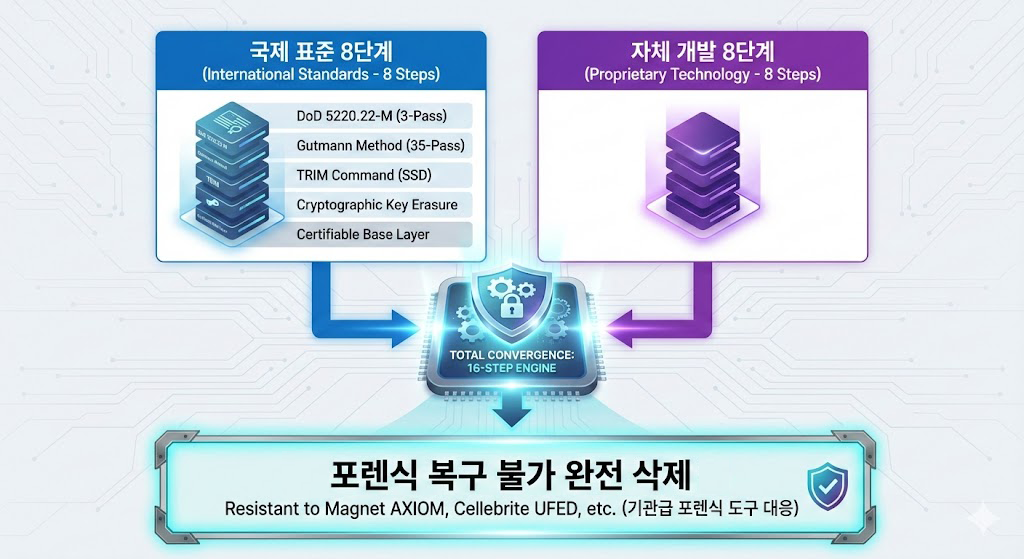
The personal setup focuses on device-level secure deletion and emergency response. It combines a patent-type proprietary engine, one-touch deletion, passphrase remote deletion, USB blocking, and Airplane Mode detection.
Bamvy Sweeper brings deletion targets, whitelist protection, and remote triggers into one controlled workflow. The user selects the required items, and the proprietary engine executes the configured secure-deletion flow.
Configure deletion targets, whitelist items, contact backup options, and deletion preferences.
When the emergency button is pressed, the configured deletion flow starts immediately.
The personal secure mobile device is designed for loss, theft, and urgent situations where sensitive mobile records must be handled quickly. Deletion-target data and sensitive personal records are not stored on the service server.
Quickly handles the deletion targets configured by the user.
Prepares for loss or theft by triggering deletion through a configured passphrase message.
When Airplane Mode is activated, the deletion trigger runs after the scheduled delay.Before normal use such as air travel, the user can disable the feature in settings when needed.
Messages, contacts, and call logs that must be preserved can be excluded from deletion.
Limits PC and external-device connections to reduce unnecessary data exposure paths.Helps block bypass routes such as storage-device recognition.
Bamvy Sweeper does not store user contacts or deletion-target information on its service server.Keep reliable data protection without routing sensitive deletion data through a server.

If the user enables it separately, contacts can be backed up and sent to the designated email address before deletion. When Airplane Mode detection deletion is running, network access is unavailable, so contact backup email delivery is not provided.
Contact backup email cannot run during Airplane Mode detection deletion. Important contacts should be backed up in advance during normal use.
Existing Android phone data can be moved to a new Bamvy Sweeper secure mobile device when migration is required. Data Transfer Mode temporarily prepares the device so connection and restore steps do not conflict with protection features.
Review transferable items and login state on the existing Android phone.
Prepare the new phone until Bamvy Sweeper protection can be used.
Temporarily prepare the device, then move transferable data with the appropriate migration tool.
Confirm Bamvy Sweeper settings and protection features after migration.