Deletion Settings
Configure deletion targets, whitelist items, contact backup options, and deletion preferences.
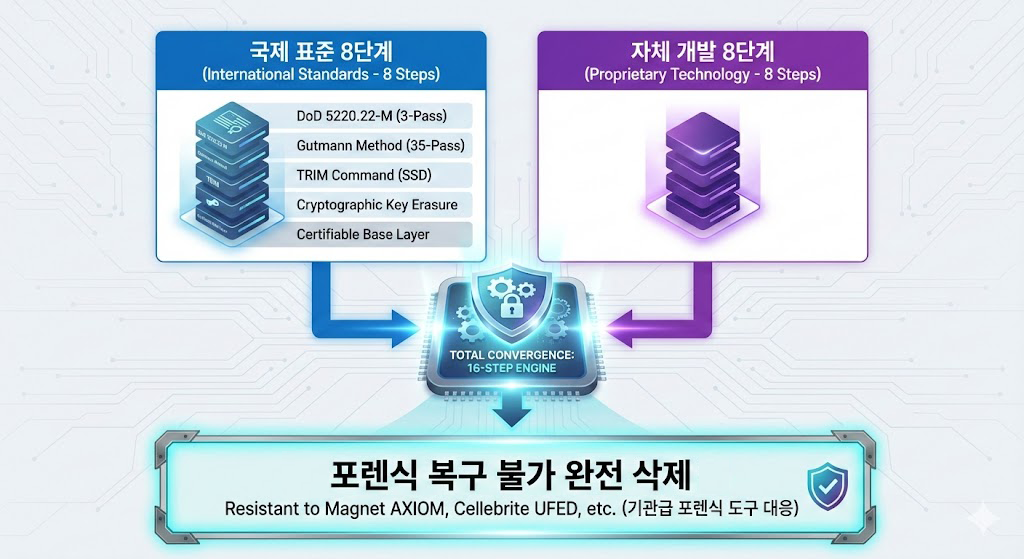
The personal setup focuses on device-level forensic-aware secure deletion and emergency response. It combines a patent-oriented proprietary engine, one-touch deletion, phrase-based remote deletion, USB blocking, Airplane Mode detection, and SIM removal detection.
Anti-Forensic Mobile Toolkit NULLTRACE is a professional mobile security device that follows the user’s configured conditions and runs secure protection and deletion flows for selected targets.
Configure deletion targets, whitelist items, contact backup options, and deletion preferences.
When the emergency button is pressed, the configured deletion flow starts immediately.
The personal secure mobile device is designed for loss, theft, and urgent situations where sensitive mobile records must be handled quickly. Data selected for deletion and sensitive personal records are not stored on the service server.
Runs emergency deletion based on deletion targets and security settings configured in advance.SMS, contacts, call logs, photos, documents, and app data are processed through the secure deletion flow.
Secure deletion runs when a message containing the user-defined phrase is received,or when a specified sender and phrase condition is matched.It is designed for situations where the device cannot be operated directly.
Depending on the user’s settings, secure deletion runs when Airplane Mode is detected.Before routine situations such as air travel, the user can disable the feature in settings when needed.
It runs only when the user enables the feature and registers the currently inserted SIM as the protected SIM.If the registered SIM is removed, secure deletion can run according to the configured conditions.
Contacts, SMS, and call logs that should be preserved can be separated into a whitelist.The secure deletion flow is designed to run only on the configured targets.
Limits PC and external device connections to reduce unnecessary data exposure paths.Helps block bypass routes such as storage device recognition.
Anti-Forensic Mobile Toolkit NULLTRACE does not store user contacts or information selected for deletion on its service server.Maintain reliable data protection without routing sensitive deletion data through a server.

If the user enables it separately, contacts can be backed up and sent to the designated email address before deletion. When Airplane Mode detection or SIM removal detection deletion is running, contact backup email delivery is not provided.
Contact backup email cannot run during Airplane Mode detection or SIM removal detection deletion. Important contacts should be backed up in advance during routine use.
Existing Android phone data can be moved to a new Anti-Forensic Mobile Toolkit NULLTRACE secure mobile device when migration is required. Data Transfer Mode temporarily prepares the device so connection and restore steps do not conflict with protection features.
Review transferable items and login state on the existing Android phone.
Prepare the new phone until Anti-Forensic Mobile Toolkit NULLTRACE protection can be used.
Temporarily prepare the device, then move transferable data with the appropriate migration tool.
Confirm Anti-Forensic Mobile Toolkit NULLTRACE settings and protection features after migration.
If you have reviewed the personal setup, see how remote wipe, USB blocking, and SIM removal detection come together as a single secure phone workflow.
View secure phone guidanceThe forensic-aware setup — deciding which records to clear and under which conditions — is covered on its own page.
View anti-forensic phone guidance